Stop the Six-Email Dance to Book One Meeting
One of the tickets I saw recently should have been a simple 15-minute meeting. Instead, it turned into a whole email chain. One person was free Tuesday morning. Another could only do Thursday after lunch. Someone else replied a day later with a time that was already gone.
By the time they finally settled on something, more time had been wasted booking the meeting than the meeting was going to take.
The problem was not the people. It was the process.
The Simple Fix
For a lot of people, the easiest fix is to stop emailing possible times by hand and send a booking link instead.
If you already use Microsoft 365 or Google Calendar, you may already have this built in. Microsoft Bookings gives you a booking page tied to your calendar. Google Calendar also lets you create an appointment schedule or booking page so someone can pick from the times you actually want to offer. Some Google features depend on your account or plan.
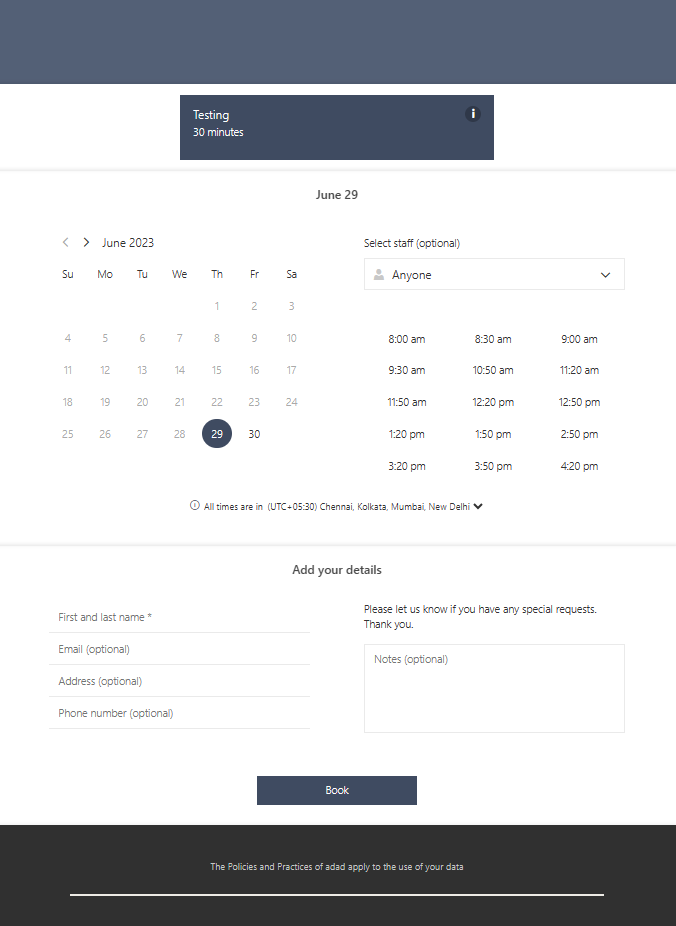
Microsoft Bookings lets you publish a booking page and share one link instead of emailing possible times back and forth.
Source: Microsoft Learn - Customize and publish your booking page

Google Calendar lets you create a booking page and copy one link so other people can choose a time from your availability.
Source: Google Workspace - Appointment scheduling
The Easy Version
- Create a booking page or appointment link.
- Set the times you want to offer.
- Send one link instead of a list of possible times.
- Let the other person choose a time that works.
- Let it land on the calendar automatically.
That works well for a quick client call, a quote review, a site visit, a short phone appointment, or a vendor discussion.
When This Works
This is best when one person is offering time on their calendar and the other person just needs to pick a slot. It cuts out the usual “Does this time work for you?” loop and keeps the booking tied to real availability.
When This Does Not
If several people need to coordinate, a booking link is usually not the best tool. In that case, a poll works better.
If most people are in Microsoft 365, Outlook has Scheduling Poll, which lets the organizer suggest times and lets attendees vote. If most people are in Google Calendar and calendars are visible to each other, Find a time can help show when guests are free. If the two sides are split across different systems, a neutral polling tool can be easier than trying to force one calendar system to do everything.
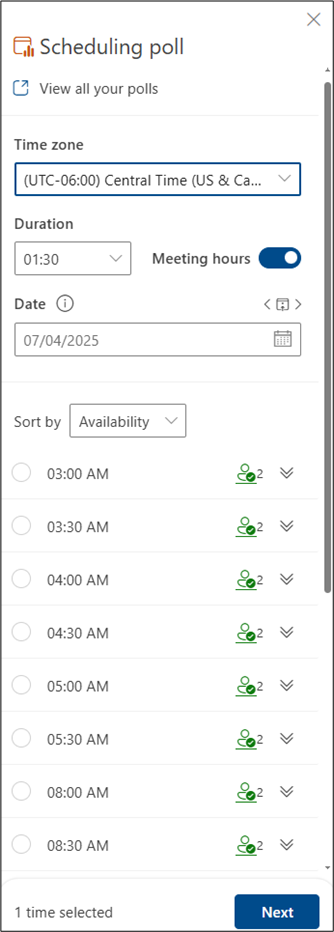
Outlook Scheduling Poll is built for group scheduling when several people need to vote on a few possible meeting times.
Source: Microsoft Support - Create a Scheduling Poll in Outlook for Windows
Bottom Line
If one person is offering time, send a booking link.
If several people are trying to meet, send a poll.
That is usually the difference between booking a meeting in one step and turning it into an admin chore.
Ask AI This
“Using Microsoft Bookings, Google Calendar appointment schedules, and Outlook Scheduling Poll, explain the simplest way for a small business to handle both one-person booking links and team meeting polls without going back and forth over email.”