Simple Audio Recorder: the private first answer to 'I need an AI notetaker'
Simple Audio Recorder: the private first answer to “I need an AI notetaker”
The Story
I had a customer ask me, “I need an AI notetaker, do you recommend anything?”
At first, I thought the answer was simple. They already used Microsoft Teams, so I suggested using the meeting transcription from Teams and feeding that into Copilot, which was already their company’s approved AI tool.
Then he told me the real problem.
He needed it to work in every meeting, not just Teams meetings.
That changed the question. He was not really asking for an AI notetaker. He was asking for a way to capture audio from any meeting, then use AI on it later. Once I circled back and looked at the options, I realized most of the obvious tools pushed the audio straight into a cloud service. For privacy reasons, either personal or business, that was not a good fit.
So I created Simple Audio Recorder.
The solution
Simple Audio Recorder is a small Windows app built for one job: record audio locally, save it as a normal .wav file, and let the user decide what happens next.
It can record just the microphone, just the computer audio, or both together. That matters because meetings do not all happen the same way. Sometimes you only need your mic. Sometimes you need the sound from the meeting itself. Sometimes you need both.
The key idea is that the recording stays local first. It does not try to be the meeting bot, the cloud notetaker, and the AI summary tool all at once. You make the recording, then upload that file only to the AI tool your company already trusts and approves for transcription or summary.
That is a much better fit for people who want the benefits of AI notes without piping live meeting audio through a third-party service.
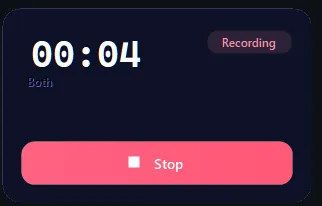
Caption: Simple Audio Recorder recording in Both mode with a timer, recording badge, and one clear stop button.
WARNING: Beta product. You can download the Simple Sound Recorder from here.
Safety check: Before installing any downloaded tool, scan it with VirusTotal.
When this works
This works well when privacy is the main concern, when meetings happen across different platforms, or when the company already has an approved AI tool for file uploads but does not want another service listening live.
When it does not
This is not a full notetaker by itself. It does not join meetings, identify speakers, or generate summaries on its own. It records first. The AI part happens afterward in whatever approved tool you choose.
Bottom line
Sometimes the right answer is not “buy an AI notetaker.”
Sometimes the right answer is “record locally, keep control of the file, and use AI only when you are ready.”
That is the problem Simple Audio Recorder is meant to solve.
Ask AI this
“I need meeting transcripts and summaries for meetings that happen across different platforms, but I want to keep the recording private first. Help me design a workflow using local audio recording and my company-approved AI tool for transcription and summary.”